问题
昨天有个外部门的小伙伴跑来找我帮忙解决这样一个问题:在 Docker 容器中使用 vite build 进行项目构建的时候进程异常退出,Log 大致如下:
> [build 7/7] RUN pnpm run build:
#15 0.486
#15 0.486 > build
#15 0.486 > vite build
#15 0.486
#15 0.812 vite v2.9.10 building for production...
#15 0.860 transforming...
#15 17.84 ✓ 5499 modules transformed.
#15 26.12 rendering chunks...
#15 47.85 Killed
------
executor failed running [/bin/sh -c pnpm run build]: exit code: 137
这个报错基本上可以定位为:内存溢出。经过和该开发同学以及容器组同学的沟通,得出另外两个条件:
- 项目在本地构建是完全 OK 的,跑到容器上就 Killed 了。
- 每个容器分配的内存是
12G。
解决这个问题最简单粗暴的方式当然是加内存,但是容器组同学说 12G 还不足以 cover 住一个前端项目的构建么?于是带着上述信息开始找问题的根源。
官方讨论
vite 的官方 issue 里针对此问题有非常多的讨论,我先贴一下地址。
一通浏览下来,基本解法就是:
将 vite build 改为:
node --max-old-space-size=81920 node_modules/vite/bin/vite.js build
也就是加了 --max-old-space-size 这个参数。
经过这一通命令的修改,可以解决上述问题。
问题探究
究其根源,大致可以从三个方面来研究这个问题:
1. max-old-space-size 是啥?它的默认值是多少?
Ans: Old space 是 V8 托管(也称为垃圾收集)堆(即 JavaScript 对象所在的位置)中最大和最可配置的部分,而 --max-old-space-size 标志控制其最大大小。 随着内存消耗接近极限,V8 将花费更多时间在垃圾收集上,以释放未使用的内存。
如果堆内存消耗(即 GC 无法释放的活动对象)超过限制,V8 将使得进程崩溃(因为缺乏替代方案)。
默认情况下,--max-old-space-size 参数的值是 Node.js 在不同环境中预设的。在大多数 64 位系统上,Node.js 默认的堆内存上限为 1.4GB。然而,这个值可能会根据所使用的 Node.js 版本和运行环境而有所不同。
当然,也不能过度增加堆内存的大小。如果设置的堆内存过大,可能会导致应用程序占用过多的系统资源,影响其他进程的正常运行。在设置 --max-old-space-size 参数时,应该根据应用程序的需求和系统资源的可用情况进行合理的调整。例如,在 2GB 内存的机器上,该值可以设为 1.5GB。
2. 为什么容器内存分配 12GB,还是不够用?
第一点原因上面也有提到,就是 V8 引擎对堆内存的使用上限值是有控制的。
第二点可能原因:12GB 全部可用么?这里我用自己的 M1 Pro 16GB 内存机器通过一个空闲内存测试脚本来测试一下:
// Small program to test the maximum amount of allocations in multiple blocks.
// This script searches for the largest allocation amount.

// Allocate a certain size to test if it can be done.
function alloc(size) {
  const numbers = size / 8
  const arr = []
  arr.length = numbers // Simulate allocation of 'size' bytes.
  for (let i = 0; i < numbers; i++)
    arr[i] = i

  return arr
}

// Keep allocations referenced so they aren't garbage collected.
const allocations = []

// Allocate successively larger sizes, doubling each time until we hit the limit.
function allocToMax() {
  console.log('Start')

  const field = 'heapUsed'
  const mu = process.memoryUsage()

  console.log(mu)

  const gbStart = mu[field] / 1024 / 1024 / 1024

  console.log(`Start ${Math.round(gbStart * 100) / 100} GB`)

  const allocationStep = 100 * 1024

  // Infinite loop
  while (true) {
    // Allocate memory.
    const allocation = alloc(allocationStep)
    // Allocate and keep a reference so the allocated memory isn't garbage collected.
    allocations.push(allocation)
    // Check how much memory is now allocated.
    const mu = process.memoryUsage()
    const gbNow = mu[field] / 1024 / 1024 / 1024

    console.log(`Allocated since start ${Math.round((gbNow - gbStart) * 100) / 100} GB`)
  }

  // Infinite loop, never get here.
}

allocToMax()
测试结果如下:
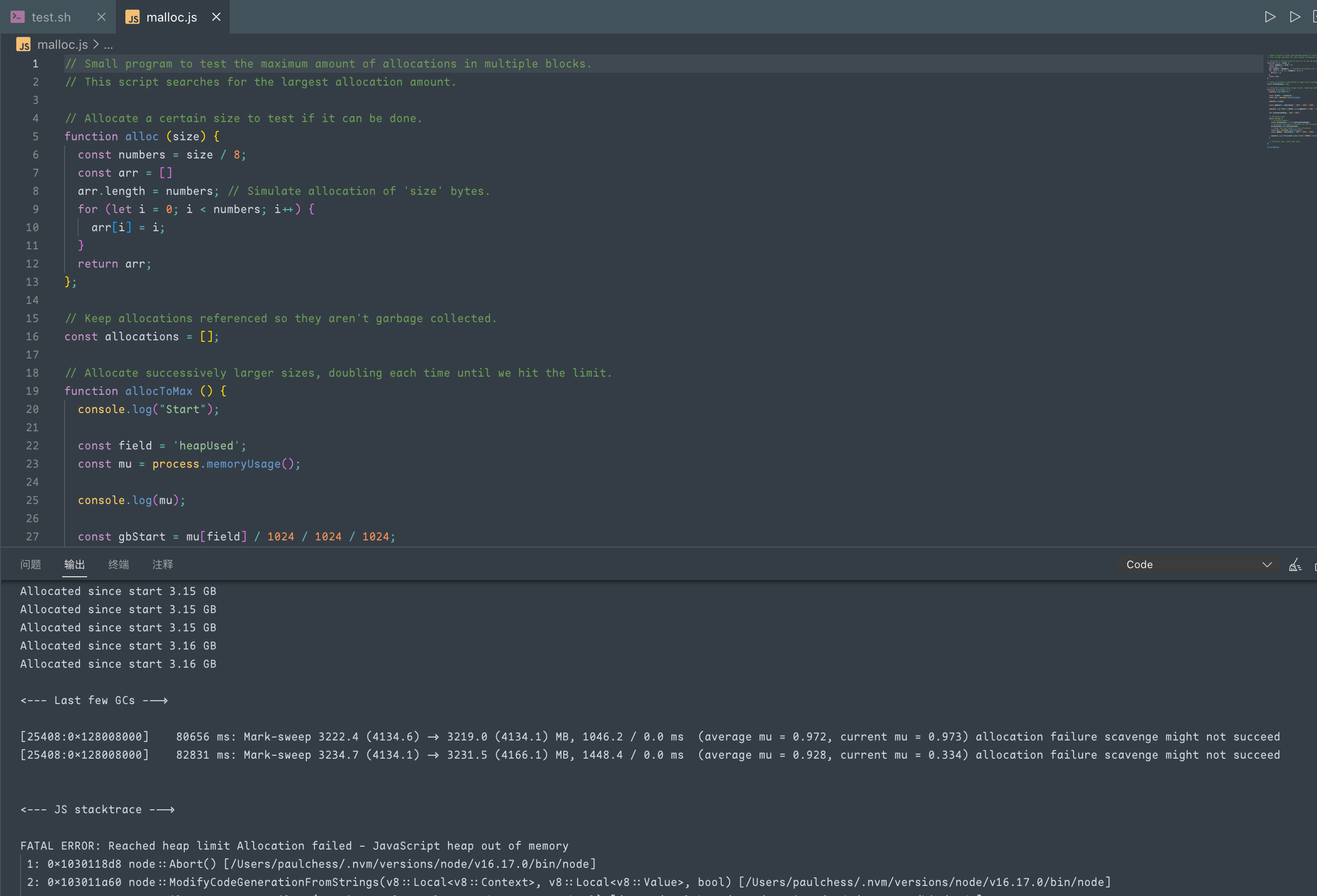
16GB 的内存实际可用内存也就 3.16GB,超过 3.16GB 就堆内存溢出了。
那么容器的可分配空闲内存原本就少,被其他任务抢占掉也是一种可能原因。现缺少数据辅证。
3. 构建的时候什么东西消耗这么多内存呢?
我们知道,Vite 是使用 Rollup 进行打包的,我在 Rollup 的站点上找到了相应的说明:
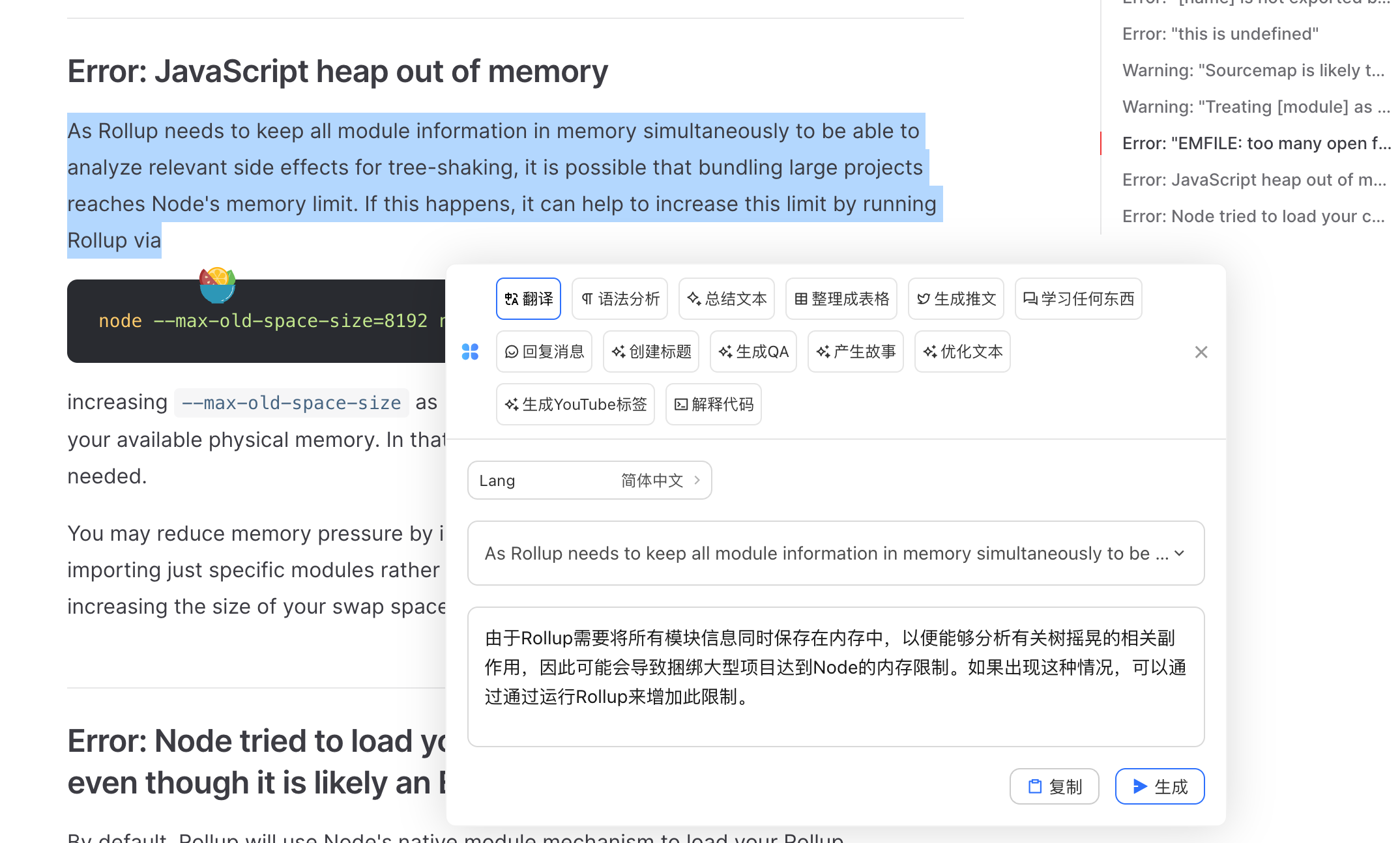
由于 Rollup 需要分析 TreeShaking 的相关副作用,它需要将所有模块信息都保存在内存中,那么当项目比较大,模块数量比较多的时候就可能会超出 Node 的内存限制。
其次,如果项目是用 TS ,tsc 进行编译分析的时候也需要占用内存,如果内存没有得到即时释放的话,会加剧内存占用的情况。
总结
- 当 Vite 构建报错的时候,可以通过配置
--max-old-space-size参数扩大堆内存来解决。 - Node V8 引擎对堆内存有上限控制,上限值根据 Node 的版本会有所区别。
Rollup需要分析TreeShaking的相关副作用,它需要将所有模块信息都保存在内存中,那么当项目比较大,模块数量比较多的时候就可能会超出 Node 的内存限制。
待确认点:
- 容器中的实际内存占用情况。
Webpack同样支持TreeShaking,那么用Webpack开发的大型项目中是否也存在同样的堆内存溢出问题?